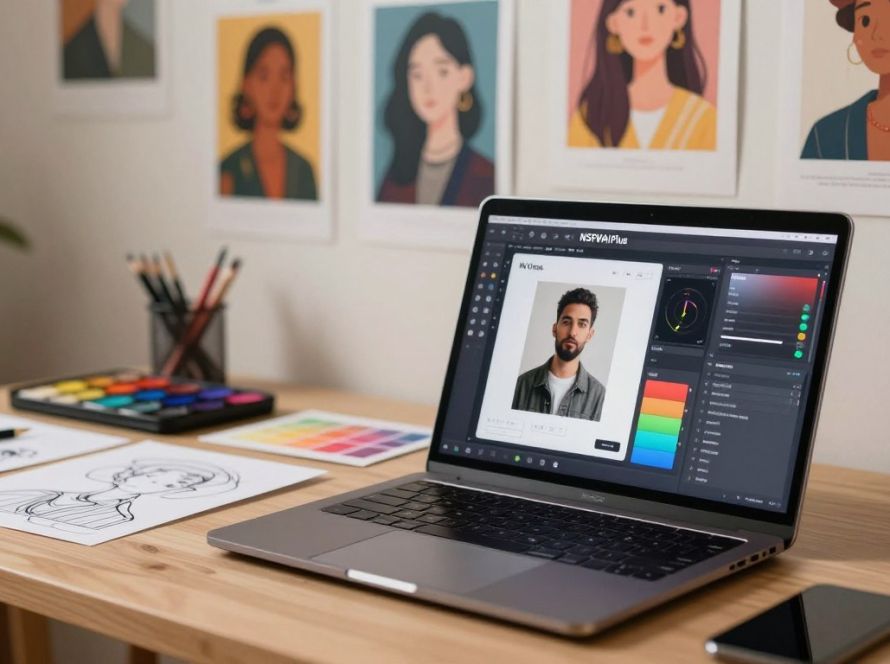
Can a single look, pose, or color palette make your whole project feel like one world?
You work hard to build a visual identity. When you create characters for stories, ads, or video, you need that identity to carry across scenes and formats.
Using a reliable character generator and the right tools helps you keep visual traits stable across multiple images and outputs. That means less manual matching and more time for creativity.
OpenArt and similar platforms let you maintain identity across stills, motion, and audio. This support reduces friction in your workflow and keeps storytelling focused on ideas, not fixes.
Key Takeaways
- Keeping character identity steady improves storytelling and brand recognition.
- Use a strong character generator to speed up creation and reduce manual edits.
- Tools that span images and video save time across your workflow.
- Maintaining visual continuity lets you explore creative variations safely.
- Good support and processes let teams manage multi-format productions.
Understanding the Importance of Character Consistency
A stable on-screen persona makes your work memorable across posts and platforms.
Character consistency is the foundation for building recognizable digital personas. You want the same face, outfit, or vibe to show up in social posts, ads, and episodic work. That steady look helps your audience spot the identity quickly.
Professional creators waste less time when they avoid redoing mismatched assets. Developers and animators need reliable visual continuity to produce uniform assets for games and episodic content.
Keeping a consistent character across every image and clip also helps high-quality video feel cohesive. Your protagonist should not drift between close-ups and wide shots or change under different lighting.
- Design avatars and mascots with a stable identity to build trust.
- Set standards early to prevent manual fixes as you scale.
- Use reliable tools so you can focus on storytelling, not corrections.
How to Create Consistent AI Characters
Start by locking down the visual rules that make a face or outfit unmistakable.
Defining Your Character Identity
Begin by listing every trait that matters: facial features, age, wardrobe, color palette, and personality cues. Write detailed prompts or use a reference image so the generator knows the exact style you want.
Describe character details clearly. Note ethnicity, vibe, and any signature props. This lets you move from quick ideation to deliberate design without losing identity.
Setting Up Your Creative Pipeline
Choose tools and a character generator that let you reuse the same model across images and video. Structured builders and presets for look, gender, and vibe speed up creation and reduce drift.
- Use one reference or seed per persona to keep variations aligned.
- Document prompts and settings so your team can reproduce results.
- Rely on support and templates to bridge stills and motion work.
With a clear process, your workflow stays efficient and your storytelling stays coherent across scenes and projects.
Selecting the Right Reference Images
A clear reference photo gives your project a dependable visual baseline.
Upload a well-lit, frontal or 3/4 view image to define your character’s facial structure and style. This gives the generator a concrete visual guide and cuts down on trial and error.
Optimizing Image Quality for AI Recognition
Choose sharp, high-quality images that show facial lines, hair, and wardrobe details. Low-resolution or busy backgrounds confuse the model and reduce control over the final result.
Good reference images save you time. The model needs fewer prompt tweaks when it has a clear visual base. That leads to faster iterations for stills and video sequences.
Avoid extreme poses or heavy filters. Keep expressions neutral so the system can map features consistently across different styles and lighting.
- Use a clean background and steady lighting.
- Prefer neutral expressions and simple clothing.
- Keep one reference per persona to improve visual consistency.
Leveraging Advanced AI Models for Uniformity
Advanced diffusion engines give you tighter control over how a face reads across scenes.
OpenArt includes models such as Nano Banana Pro, Seedream 4.0, and Kling 3.0 Omni. These are tuned for photorealistic detail and motion-ready output. Flux Dev and Flux Pro add diffusion options that keep an artistic style stable across generations.
Using these tools lets your image generator handle textures, geometry, and tricky lighting with less prompt tweaking. That saves time and raises overall quality.
“Choose a model that matches your project’s needs and the rest of the pipeline will follow.”
These models work well for both stylized work and cinematic video. The integration reduces facial drift and keeps the character recognizable across shots.
- Pick a model for your final output—photoreal or stylized.
- Document settings so your team can reproduce results.
- Rely on vendor support to tune lighting and feature retention.
Utilizing Presets and Character Builders
A structured builder helps you map features fast so you can test ideas without losing identity.
Presets let you assemble a believable persona in minutes. You pick vibe, gender, age range, and ethnicity. The builder applies those choices to a base model so you can iterate quickly.
Many character generators include ready-made styles for streetwear, fantasy, and cinematic looks. That makes it easy to create consistent characters that fit a campaign or brand mascot.
- Use presets to lock key features and avoid drift across image and video outputs.
- Try variations fast: most models render or copy an image in about 90 seconds with Rodin-like tools.
- Keep a documented preset set so your team can reproduce the same model reliably.
“Presets give you a repeatable base that scales from a single still to full video.”
| Tool Type | Speed | Best Use |
|---|---|---|
| Character Builder | 1–3 minutes | Structured persona creation |
| Preset Library | Seconds per variation | Style exploration |
| Reference Copy (Rodin) | ~90 seconds | Exact image replication |
Use these tools to create consistent characters that remain usable across editing suites. That keeps your workflow lean and your visuals reliable.
Refining Your Workflow for Better Results
Tightening your pipeline lets you turn rough ideas into polished outputs faster.
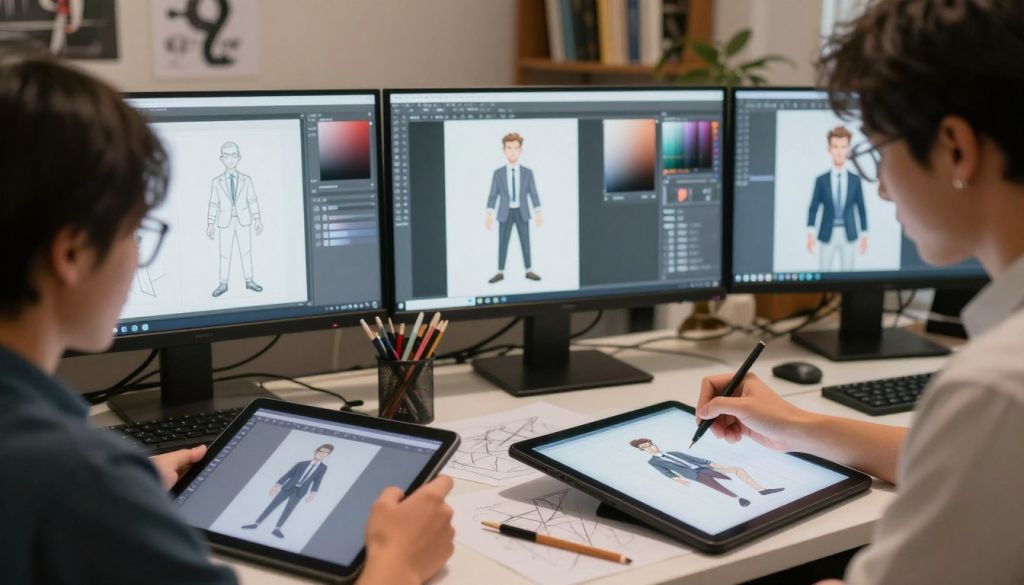
Prompt engineering starts by how you describe the face, outfit, and mood. Use clear prompts to describe character traits and the target style. Keep prompts modular so you can swap details without rebuilding the whole prompt.
Prompt Engineering Techniques
Use structured tokens: age, pose, lighting, and signature props. Record working prompts so your team can reproduce them.
Adjusting Creativity Levels
Prompt guidance controls creativity. Higher values push for detail and contrast. Lower values give you more experimental, varied outputs for rough storytelling.
Using Seed Numbers for Variations
Seeds let you generate multiple versions while keeping the core design intact. Change the seed to explore small shifts without losing identity.
- Review outputs regularly with support to check for drift.
- Integrate these steps into a daily workflow to save time and raise quality.
| Step | Tool | Benefit |
|---|---|---|
| Prompt Library | Text editor | Reproducible results |
| Guidance Tuning | Model settings | Control creativity level |
| Seed Management | Generator controls | Fast variations |
Managing Character Identity Across Different Scenes
A reliable portrait reference helps your hero read the same way in every frame.
Keeping a consistent character look across shots preserves viewer trust. You can place the same protagonist in a studio portrait, a street-style shot, and a cinematic video sequence without redefining their face each time.
Use a reusable reference to lock down facial features, wardrobe, and signature props. This reduces the need for corrections and lets you focus on scene composition and storytelling.
Good continuity survives lighting shifts and camera distances. Close-ups and wide shots should share core design choices so the audience recognizes the person across multiple posts and scenes.
“A stable reference is the fastest route to visual continuity in episodic work.”
Apply these practical steps:
- Keep one reference file per persona.
- Document lighting notes and wardrobe tags.
- Test outputs in both images and video before final edits.
| Scene Type | Key Focus | Quick Tip |
|---|---|---|
| Studio Portrait | Facial detail | Use frontal reference and neutral light |
| Street Shot | Wardrobe & posture | Capture signature props and silhouette |
| Cinematic Video | Motion continuity | Match color palette and core traits across cuts |
Applying LoRa Styles for Aesthetic Cohesion
LoRa modules let you tune texture, color, and mood so every shot feels part of the same world.
Use LoRa styles to enrich your design aesthetics and boost image quality for a single character across edits. These filters add film grain, painterly brushwork, or sci-fi sheen while preserving core traits.
Combine a LoRa layer with your base model to refine the final look. That keeps identity intact while you explore new style directions.
Apply the same LoRa preset to a set of images or a short video to maintain visual cohesion. This approach speeds up production and raises perceived quality.
“LoRa lets you add distinct textures without breaking continuity.”
- Use presets to keep results reproducible across a series.
- Match palette and grain to your project’s mood for stronger consistency.
- Test small adjustments to ensure the character remains recognizable.
Troubleshooting Common Consistency Issues
A few simple checks can stop facial drift before it becomes a costly rewrite.
Fixing Facial Drift and Feature Mismatches
Start with your reference photo. Use a clear, well-lit frontal or 3/4 view so the image generator has a stable baseline.
Check prompts. Make them specific: age range, hair style, and one signature prop. Short, modular prompts help you swap details without losing identity.
Use masks to lock features. Include or exclude hair, jewelry, or clothing in the mask to force the model to keep or ignore those elements.

- Generate multiple variations and pick the best result to reduce manual fixes.
- Use editing tools to fix text, small details, and misaligned elements in both image and video content.
- Keep strict control over inputs to prevent identity drift across scenes and outputs.
“Maintaining a single, clear reference cuts down on time and improves results.”
| Issue | Quick Fix | When to Use |
|---|---|---|
| Facial drift | Stronger reference + masks | Between generations or model updates |
| Feature mismatch | Refine prompts + include props | When hair, eyes, or accessories shift |
| Detail errors | Post-editing tools | Text, logos, or tiny artifacts |
These steps help you keep a consistent character identity and raise overall quality. Trial and error is normal, but clear inputs save time and deliver reliable results for your project.
Scaling Your Creative Projects with Reusable Assets
Scale your visual work faster by turning one strong asset into many useable formats.
Build once, reuse everywhere. Generate a base character and apply that model to product shots, social posts, and short video clips. This approach saves time and keeps brand design at the core of every image and video.
The platform’s support team — praised by Jon S., Mathew K., Iftikar Z., Mark, and Rasmus — helps you optimize presets and workflows. Their guidance speeds setup and improves results for teams working across multiple clients.
- Use reusable assets to produce large volumes of content without rebuilding from scratch.
- Leverage the free plan with 3000 credits per month to experiment and scale stories.
- Integrate templates and feature sets to maintain quality across multiple video formats.
“The platform gives you the tools and support to move from prototype to production quickly.”
Whether you create avatars or marketing materials, reusable assets let your team generate consistent results and focus on creative growth.
Conclusion
Small, repeatable design choices make your work read as one unified piece, and that clarity matters when you publish across channels.
Maintain a clear pipeline by using high-quality reference images, detailed prompts, and a set of reusable assets. These steps help you keep a stable look for your characters and speed up production.
Expect to troubleshoot facial drift and feature mismatches. Use masks, documented settings, and model presets to fix issues fast. Lean on tools and support to refine results as you scale.
In short: build a library of reliable assets, choose robust models, and iterate with purpose. This approach frees you to focus on story, not edits, so your work reaches audiences with professional polish.
FAQ
What is the best way to keep characters consistent across NSFWAI Plus images?
Use a clear character identity, high-quality reference images, and a repeatable pipeline. Define features like face shape, hair, wardrobe, and color palette. Save presets or use a character builder so you can apply the same settings across sessions and scenes.
Why is character identity important for image continuity?
A strong identity ensures your subject remains recognizable across multiple images and scenes. It supports storytelling, maintains audience engagement, and reduces rework. Consistent identity also helps models recognize and reproduce the same features reliably.
How do you define a character identity effectively?
Start with a detailed description: age range, ethnicity, facial features, body type, typical expressions, and signature accessories. Pair that with several curated reference images showing different angles and lighting. Document these elements in a single profile you can reuse.
How should you set up your creative pipeline for repeatability?
Build a step-by-step workflow: gather references, select model and presets, craft prompts, and set seeds or parameters. Automate where possible and save configs. Use version control for prompts and assets to track changes and ensure reproducible results.
How do you choose reference images for best model recognition?
Pick high-resolution photos with varied angles, clear lighting, and neutral backgrounds. Include headshots and full-body shots. Ensure consistent expressions and hair styling. The goal is to give the model a reliable visual profile to learn from.
What steps optimize image quality for model training and generation?
Use sharp, well-lit images, 1:1 or 4:5 aspect ratios for portraits, and avoid heavy compression. Clean backgrounds and consistent color grading help. If needed, retouch to remove artifacts while preserving natural features.
Which advanced models help maintain uniformity across generations?
Choose models with robust conditioning capabilities and support for fine-tuning or style adapters. Models that accept embedded references, LoRa files, or character presets deliver more predictable outcomes. Evaluate model performance with test prompts before large runs.
How do presets and character builders speed up production?
Presets lock in camera angles, lighting, and core prompt elements. Character builders store your character profile and style choices. Both let you reproduce scenes quickly, maintain visual coherence, and scale up without manual reconfiguration.
What prompt engineering techniques improve character fidelity?
Use clear attribute tags, short consistent templates, and negative prompts to exclude undesired elements. Combine descriptive phrases with reference image tokens. Keep prompts modular so you can swap backgrounds or poses without altering the character core.
How do you adjust creativity levels without breaking identity?
Tweak randomness or “creativity” parameters gradually. Lower values preserve identity; higher values add variation. Use controlled experiments and compare outputs to ensure changes enhance storytelling without losing key features.
When should you use seed numbers to manage variations?
Use seeds when you want reproducible variations. Fixing a seed recreates the same image from the same prompt and settings. Change seeds to explore controlled diversity while keeping core presets constant.
How do you maintain identity across different scenes and lighting?
Rely on invariant features—facial structure, distinctive marks, and signature accessories—while adapting clothing and lighting. Include scene descriptors in prompts but keep the character profile unchanged. Use color correction and consistent post-processing to unify the look.
What are LoRa styles and when should you apply them?
LoRa styles are lightweight adapters that modify model behavior to match a visual aesthetic. Apply them to enforce consistent rendering of skin tone, line work, or lighting. They’re especially useful when you need cohesive aesthetics across multiple scenes.
How do you fix facial drift and feature mismatches?
Increase the weight of reference images and reinforce specific facial descriptors in prompts. Use higher-resolution references, add more frontal headshots, and apply stronger negative prompts against common errors. Fine-tune or use LoRa files focused on facial fidelity when possible.
What workflow changes help reduce common consistency issues?
Centralize assets, standardize prompts, and implement quality checks after each batch. Use a feedback loop where you adjust presets and retune settings based on failures. Keep a changelog for prompt and model updates to identify regressions quickly.
How do you scale projects while keeping assets reusable?
Create a library of reusable assets: reference packs, presets, templates, and LoRa files. Tag assets with clear metadata so you can find and apply them across projects. This reduces duplication and keeps visual identity intact as you expand.
What other tools support maintaining visual identity across images?
Use character builders, image generators with strong reference support, versioned preset systems, and asset management tools like Adobe Bridge or Figma. These help you organize, apply, and iterate on visual elements consistently.