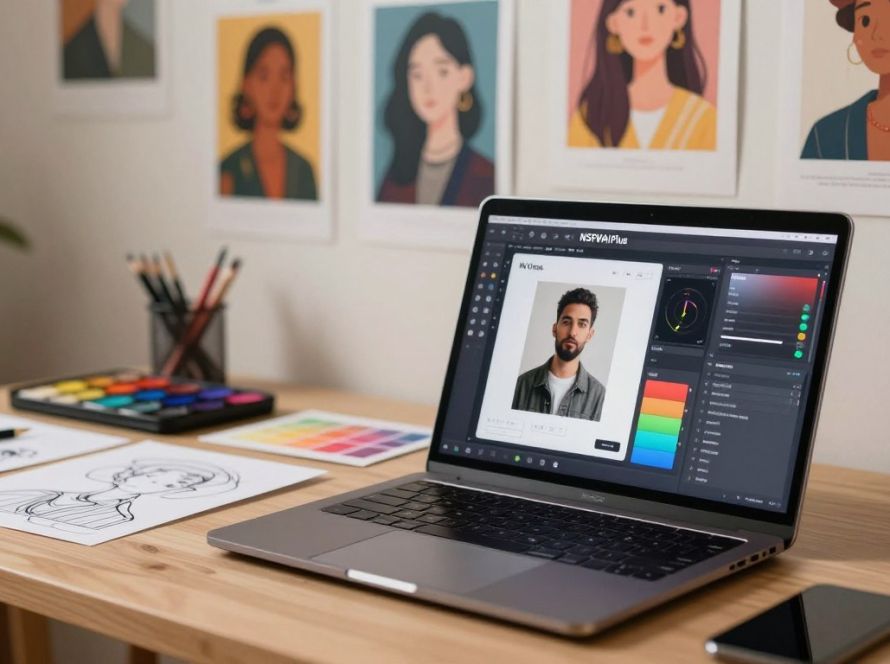
Can a single tool turn a quick text prompt into the exact image or video you imagined?
NSFWAI Plus puts powerful image generation in your hands. You can produce high-quality nsfw image results fast, with fine control over style, face options, and models. The platform supports over 12,500 active creators as of April 2026, so you join a large creative community.
Use tailored prompts to shape every detail of your images and videos. The tool gives privacy controls, credit management, and generation history so your work stays organized and secure.
Whether you create adult content, anime art, or custom visuals for a subscription platform, this nsfw image generator helps you refine quality and style without mainstream limits.
Key Takeaways
- You can generate images and videos quickly with precise prompts.
- The platform supports 12,500+ active creators (April 2026).
- Privacy, credits, and history keep your work secure and organized.
- Multiple models and face options let you explore different styles.
- Designed for high-quality nsfw content and efficient creation.
Understanding the Technology Behind a Realistic AI NSFW Generator
Specialized models decode detailed prompts into high-fidelity adult visuals that retain consistent faces and styles. These systems remove many of the arbitrary keyword filters found on mainstream platforms so you can pursue complex creative directions.
How These Models Differ from Standard AI
Standard tools often block mature topics or alter anatomy to meet broad safety rules. In contrast, dedicated models are built for adult content and prioritize fidelity. That focus lets you generate 4K images (up to 4096px) with consistent face rendering and predictable quality.
The Role of Unfiltered Datasets
Training on unfiltered datasets gives models the nuance needed to handle complex scenes and varied styles, from photorealistic art to anime. As a result, your nsfw image generator can produce detailed images and short videos faster — often in about 15 seconds for a high-quality render.
- Consistent faces: characters keep the same look across outputs.
- Style range: you can switch between anime, photo, and mixed styles.
- Speed & quality: 4K assets without long waits.
Key Advantages of Using Specialized Adult Content Tools
Dedicated tools let you control output, privacy, and consistency in ways general services cannot.
You get creative freedom to produce adult content without broad censorship. That freedom makes it easier to explore style choices and mature themes for your art and videos.
These platforms prioritize privacy. Many offer encryption and private libraries so your nsfw images stay visible only to you or approved collaborators.
Scaling production is straightforward. You can batch-create images and short videos, maintain consistent characters, and speed up a subscription workflow.
Built for the industry: unlike general tools, these platforms handle the specific needs of adult creators. That means better quality, fewer unexpected edits, and tools designed around adult content use.
- Control and creative freedom for adult content creation.
- Stronger privacy and account features for sensitive work.
- Consistent characters across nsfw images and videos to build a brand.
- Workflow tools that help you scale production and manage releases.
Mastering the Art of Prompt Engineering for High-Quality Results
Careful prompt design turns a vague idea into a polished, high-quality image that matches your vision. You control subject, composition, and pose with few, well-chosen words. Short, layered prompts help the tool understand what matters most in a scene.
Defining Subject and Composition
Start by naming the subject and the relationship between characters. Specify poses, camera angle, and scene layout to lock composition.
Tip: Use concise phrases like “three-quarter view,” “over-the-shoulder,” or “full-body pose” to reduce guesswork.
Adjusting Lighting and Atmosphere
Describe light sources, time of day, and mood. Words such as “soft golden hour,” “dramatic backlight,” or “moody studio” shape texture and depth.
Lighting cues influence how faces and bodies read, improving consistency across images and videos.
Selecting Artistic Styles
Pick a style—anime, photorealistic, or painterly—and name the model or preset when possible. That ensures generated images match your desired aesthetic.
Experiment with models and prompts to get consistent faces and body features across multiple outputs.
- Specify subject, poses, and camera angles for precise composition.
- Use descriptive lighting to set mood and depth.
- Call out style and model to standardize results.
| Prompt Focus | Example Phrase | Effect on Output |
|---|---|---|
| Subject & Composition | “two figures, side-by-side, 3/4 view” | Clear placement and pose |
| Lighting | “soft rim light, golden hour” | Warm tones and strong edges |
| Style & Model | “anime style, high detail” | Consistent stylized faces |
Practical Applications for Digital Creators and Artists
Creators can multiply output while keeping a clear visual identity across series and releases. You can scale your subscription work and still keep a steady brand look.
Scale production: Use text-to-video and image-to-video tools to turn still images into short clips. ZenCreator supports up to 60 seconds, so you can deliver more videos without long edits.
Build consistency: Generate recurring characters and a fixed style to grow a loyal audience on Patreon or OnlyFans. Face-swap options add personalization while keeping identity control.
- Increase uploads by 2–3x for subscription platforms.
- Create series of images and videos that match in face and tone.
- Protect your work with platform privacy features during rapid creation.
| Application | Benefit | Example |
|---|---|---|
| Batch image production | Faster content release cadence | Subscription posts, galleries |
| Text-to-video | Dynamic clips from prompts | 60s promotional videos (ZenCreator) |
| Face swap & animation | Personalized adult content and storytelling | Serialized character arcs |
Comparing Top Platforms for Unrestricted Image Generation
Compare how top platforms handle image quality, privacy, and creative controls before you commit to a subscription.
AVCLabs PhotoPro AI is a cost-savvy option. You get 1,000 free generations per month on Windows and Mac. That helps if you want to test prompts and generate images without immediate expense.
ZenCreator stands out for high-end output. It offers 4K results, face swapping with hair options, and credits that never expire. ZenCreator also delivers fast generation—often around 15 seconds—so you can iterate quickly.
Evaluate video support: some platforms create text-to-video clips while others focus on static images. If you need videos, prioritize platforms with robust video features and flexible credits.
- Check models and styles to match anime or photographic art.
- Verify privacy features like end-to-end encryption for sensitive content.
- Compare subscription terms and credit expiry to control costs.
| Platform | Key Features | Credits / Cost | Best for |
|---|---|---|---|
| AVCLabs PhotoPro AI | Desktop app, prompt tuning | 1000 free / month | Testing and bulk prompt work |
| ZenCreator | 4K, face swap, fast video | Credits never expire | High-quality images & videos |
| Other top platforms | Varied models, styles, privacy | Flexible / subscription-based | Specialized workflows |
Navigating Privacy and Ethical Considerations
Your creative freedom depends on the platform’s security and ethical guardrails. When you use an image generator to produce nsfw art or video, choose services that protect your data and respect others.
Protecting Your Personal Data
Protecting your personal data is essential when you work with sensitive content. ZenCreator uses end-to-end encryption so your projects and account details remain private.
Pick platforms that publish clear data policies, encryption standards, and retention rules. That reduces the risk of leaks and unauthorized access.
Addressing Copyright and Ethical Disputes
Addressing Copyright and Ethical Disputes
Models often train on vast datasets, which can raise copyright concerns. You should avoid copying others’ art or creating images that violate consent.
Be transparent about sources and pick platforms that disclose their models and training data. This lowers your exposure to disputes.
- Use privacy-focused platforms to keep nsfw content secure.
- Respect consent and avoid harmful material when making fantasies or videos.
- Stay informed about changing rules for generation and video generator tools.
Conclusion
The right mix of tools and habits makes content creation faster and more consistent. You can use modern art tools to shape concepts and bring your fantasies into finished pieces. Keep prompts focused and test models to find a style you like.
Choose an image generator and a trusted nsfw image generator that match your needs. Quality of generation and model options will affect how predictable results feel. Aim for one workflow and refine it over time.
Manage credits and costs so you can iterate without surprises. Treat an art generator like any studio tool: plan sessions and save presets to speed output.
Prioritize privacy and ethics as you publish. Stay current with updates to keep your work secure and to expand what you can create.
FAQ
What is NSFWAI Plus and how can you use it to make hyper-realistic adult images?
NSFWAI Plus is a paid platform that helps you produce high-detail adult content, including images and short videos. You use text prompts, choose styles and models, and adjust settings like face detail, poses, and lighting. The service charges credits or a subscription for higher-resolution outputs and faster rendering.
How does the technology behind an adult image tool differ from standard image services?
Models designed for adult content are trained on broader, less filtered datasets and have architecture tailored to preserve anatomical detail, skin texture, and complex poses. That makes them better at creating lifelike faces, expressions, and scene composition than general-purpose art platforms.
Why do unfiltered datasets matter and what role do they play?
Unfiltered datasets expose models to more diverse poses, lighting, and explicit themes, which improves realism, reduces hallucinations, and allows for accurate renditions of intimate scenes. However, they raise stronger privacy, copyright, and ethical concerns that you must address before use.
What are the key advantages of specialized adult content tools for creators?
Specialized tools offer higher image fidelity, faster iteration, fine-grained control over anatomy and style, and export options optimized for subscription platforms like OnlyFans or Patreon. They also include features for batch generation, model selection, and video creation workflows.
How do you define subject and composition when prompting for high-quality results?
Start with a clear subject description, include pose and camera angle, and add context like environment or props. Use concise nouns and verbs to avoid ambiguity. Specify composition rules—framing, focal point, and negative space—to guide the model toward coherent scenes.
What settings should you adjust for lighting and atmosphere in prompts?
Mention light direction, color temperature, intensity, and mood—examples include “soft golden backlight” or “cool studio fill.” Add details about shadows, fog, or bokeh to shape atmosphere. These cues help produce consistent skin tones and realistic shading.
How do you select artistic styles without losing realism?
Choose styles that match your goal: photographic, cinematic, or anime. When you want lifelike results, prefer photographic terms—”35mm lens, high dynamic range, shallow depth of field”—and limit stylized adjectives. Balancing style with photographic detail preserves realism.
How can digital creators scale content for subscription platforms efficiently?
Use batch generation, template prompts, and automated post-processing to produce consistent series. Tag and organize outputs by model, pose, and style so you can repurpose images for thumbnails, posts, or video clips. Monitor engagement metrics and adjust prompts to match subscriber preferences.
Which platforms are commonly compared for unrestricted image creation?
Creators often compare paid specialist services that allow explicit content with mainstream platforms that restrict adult material. Evaluate each by output quality, available models, speed, privacy features, pricing, and whether they support image sequence or video generation.
How should you protect your personal data when using adult content tools?
Use dedicated accounts, avoid uploading identifying photos, enable two-factor authentication, and read the platform’s data-retention policy. Prefer services with on-device or encrypted processing and choose payments methods that protect your identity if privacy is a primary concern.
What steps help address copyright and ethical disputes around generated content?
Keep detailed records of prompts, model versions, and source assets. Avoid copying a living artist’s signature style or using identifiable public figures without consent. When disputes arise, provide provenance logs and be prepared to remove content or negotiate licenses.
What model and output settings produce the best face and body results?
Pick models known for anatomy fidelity, increase face detail and sample count, and use higher-resolution outputs. Add prompt terms for facial expressions, eye focus, and skin texture. If available, enable face-fixing modules or post-process with specialized retouch tools for consistent results.
Can these tools generate video or only still images?
Many platforms now offer short video or image-sequence generation and tools for stitching frames into motion. Video workflows often require more credits and longer render times, plus additional settings for motion blur, continuity, and consistent character appearance across frames.
How does pricing and credits typically work for advanced image creation services?
Pricing models include per-image credits, subscription tiers with monthly limits, or pay-as-you-go credits for high-resolution renders and video. Review what each plan includes—like exclusive models, faster GPU queues, and commercial licenses—before committing.
What are best practices for writing prompts that balance creativity and safety?
Be precise but concise. Use concrete descriptors for pose, lighting, and mood, and avoid ambiguous or conflicting terms. Respect content policies and legal boundaries by excluding identifiable minors and non-consenting subjects. Keep a versioned prompt library to iterate safely and efficiently.